Web Dump Nei's Web Dump
Did you come here looking for Nei’s Web Dump — a few patches or Irssi scripts? adv_windowlist.pl? Irssi for Windows?
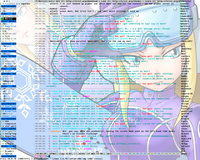
You can now find the content on http://anti.teamidiot.de/static/nei/*/ in a steamlined appearance. Something’s missing and you’re sure it was there earlier? Tell me about it!
Or are you maybe looking for some TLA/Arch repositories? ircu–ailin–2.10.12 or srvx–ailin–1.3? They’re mirrored at the SuperMirror (Browser (slow)). Sorry about that.
Dear PPmarcel,
thanks for your interest in adv_windowlist. For the windowlist to be placed on the left side, you should first use the script adv_windowlist_headers_fifo.pl which you can find in the download area.
Next, if you want it to appear like in my screenshot, you need to use GNU screen with vertical split support. (Alternatively you could use a seperate window to contain the window list, which you would then be able to move around freely.)
Now make a vertical division of your GNU screen and arrange your irssi main window to be on the right.
Create a FIFO file mkfifo ~/.irssi/_windowlist and on the left side of your GNU screen start reading from it (cat ~/.irssi/_windowlist). You can also read the information about nicklist FIFO on the author’s site.
Finally, type /set awl_automode fifo to enable the FIFO display of the window list.
If you want to have both nick list and window list, I recommend splitting your GNU screen twice (so you end up with one screen on the left, one in the middle and one on the right), then operate both nick- and window list in FIFO mode.
Enjoy!
			by Nei
		2007, October 17 (Wed)@ 00:39
das sieht nett aus, kannst du dazu mal ein tut schreiben damits auch einsteiger verstehen?
			by Rookie
		2008, August 15 (Fri)@ 18:43
After loading this script the following errors are displayed, any idea how to resolve them?: 00:46 -!- Irssi: Error in script adv_windowlist: [snip] 00:46 (Might be a runaway multi-line // string starting on line 275) 00:46 (eval 19) has too many errors.
			by jscribe
		2014, January 04 (Sat)@ 14:51
@jscribe make sure your Irssi is using Perl 5.10 or higher, guessing from the error I think that might not be the case
			by Nei
		2014, January 06 (Mon)@ 09:45
Hi there, thanks for the cool script! When I load the script a statusbar appears with this content:
AWL: Run adv_windowlist from the shell or switch to sbar mode
version: 0.8a
When I run per adv_windowlist.pl from the shell I have the window list in that terminal, but how do I get the statusbar content to be shown in the irssi window? I feel like I’m missing something obvious here…
			by Anonymous
		2014, January 14 (Tue)@ 13:15
Oh, nevermind! I had to
/set awl_viewer off
to enable statusbar mode.
			by Anonym
		2014, January 14 (Tue)@ 13:28
Patch: fix excess padding in $N
[ posting as comment because email to you is bouncing with 550 relay not permitted ]
I just grabbed adv_windowlist.pl 0.8a and noticed that the padding in $N was a bit excessive. Root cause is that get_keymap() sets various internal keys in %keymap (_active, _last, _up, _down) and these are considered when computing $numPad. The attached patch is one way to fix it; you can probably think of others.
Thanks for adv_windowlist! Very handy.
[snip]
			by Ed S.
		2014, January 15 (Wed)@ 20:14
@Ed S. thanks, should be fixed in latest version
			by Nei
		2014, January 16 (Thu)@ 11:19
I’m having an issue with the latest version of AWL where the names for my status and hilight windows don’t show up, just the numbers.
I’m using irssi 0.8.17. My awl formats and settings are here: [..snip..]
awl_name_display = $T
I’ve tried many different variations to no avail.
A couple other issues * awl_custom_xform doesn’t appear to work. * the fancy_abbrev setting should be renamed to awl_fancy_abbrev so that it shows up with ‘/set awl’
			by Alex
		2014, October 26 (Sun)@ 05:39
Dear Alex,
it seems to me that you set awl_name_display to $T (target item, see the special_vars documentation) by accident. Try changing it back to $0 and your named windows should reappear.
This is likely also the reason for awl_custom_xform not working, as this only acts on $0 and not on fixed variables such as $T
			by Nei
		2014, October 27 (Mon)@ 09:57
Thanks Nei,
When I initially installed the updated version, I was getting no window names at all with $0. Strangely, it’s working now. I did update a lot of my theme stuff since then so my best guess is somehow there was a conflict in there that I fixed. Unfortunately I don’t have a diff of these changes.
			by Alex
		2014, October 30 (Thu)@ 21:44
After playing around with it some more, I’m still having an issue with awl_custom_xform - it only works on channel and query windows. status and the hilight window are not affected.
I still have awl_name_display = $0, everything else is unchanged from my previous post including unrelated theme stuff.
By the way, thanks for writing AWL, its the best!
			by Alex
		2014, November 01 (Sat)@ 19:29
Dear Alex,
Currently, the custom_xform is not run if you turned on awl_prefer_name and the window is named. That seems slightly inconsistent to me so this may change in future releases.
			by Nei
		2014, November 02 (Sun)@ 10:04
Hello. I wonder how i get this toolbar on the left of the screen? I tryed to use adv-windows.pl, but it seems it’s not that. or I need to configure it more?